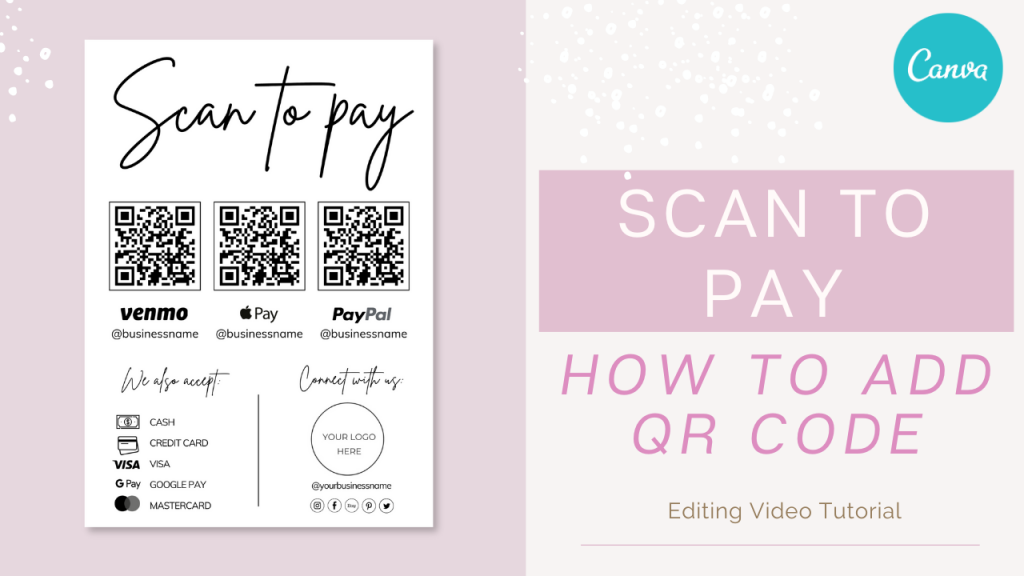
If you’ve just downloaded your Scan to Pay Canva template — I’m so glad you’re here.
In this guide, I’ll walk you through exactly how to add your payment QR code, adjust it properly, and download it in the right format — whether you’re printing it for your shop, market stand, salon, or sharing it online.
Everything is explained step by step, so you can follow along confidently.
Here you can find the template from the video: SCAN TO PAY CANVA TEMPLATE
You’ll need:
A free Canva account (sign up at canva.com)
Your payment link ready (PayPal, Stripe, website, etc.)
About 5–10 minutes
💡 Good news: You don’t need Canva Pro — this template works perfectly with the free version.
Open the PDF file from your order email.
Click the Canva access link inside the PDF.
Select View Template.
Canva will create your own copy in your dashboard.
For a complete visual guide, watch the full step-by-step tutorial below.
Choose this if you already have a QR code from your payment app.
Download the QR code from your payment app.
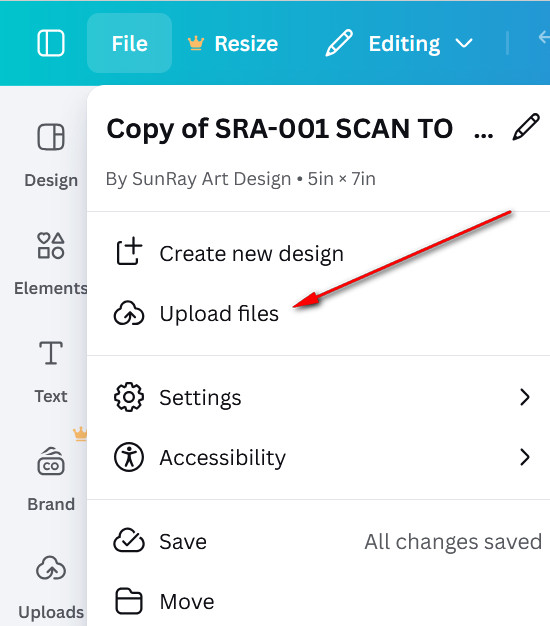
In Canva, click Uploads in the left sidebar.
Click Upload files.
Select your QR image.
Drag it into your template.
Use a high-quality image — blurry screenshots can cause scanning issues.
This is my favorite method.
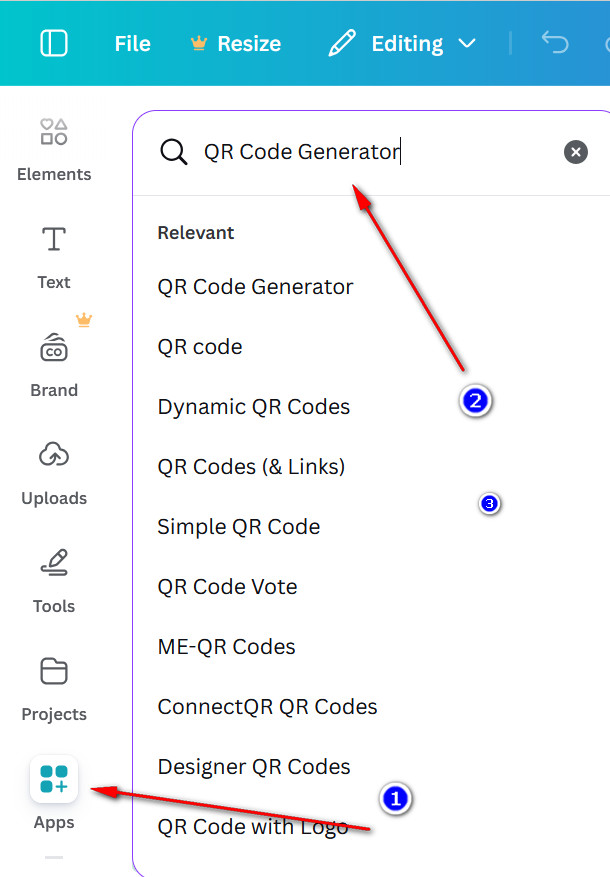
Click Apps in the left sidebar.
Search for QR Code Generator.
Select the QR Code app.
Paste your payment link.
Click Generate Code.
Canva will instantly add a QR code to your design.
Why this method is great:
No downloads required
Easy to update later
Clean output
Works perfectly with free Canva
After generating, place it inside the designated area of your template.
QR codes need space to work properly.
Follow these simple rules:
Keep it at least 1.2–1.5 inches wide for print.
Use dark QR on light background.
Leave white space around it.
Avoid textured or busy backgrounds.
A clean QR code always performs better than a decorative one.
Edit your business name
Adjust payment instructions
Match brand colors
Change the font if needed.
When you’re finished:
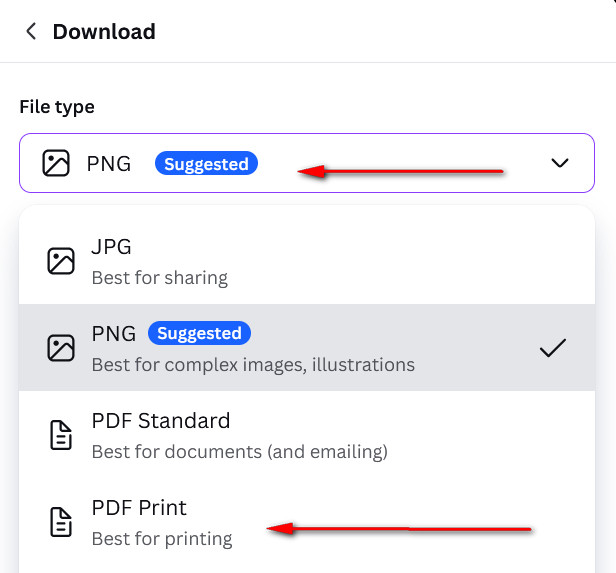
Click Share → Download
PNG → for social media or websites
PDF Print → for posters, table signs, flyers
If you’re printing for markets or events, always choose PDF Print for best quality.
Before printing or sharing:
Open your phone camera
Scan the QR code
Make sure it opens the correct payment page
If something doesn’t work, fix it now — not after printing 50 copies.
Your Scan to Pay display is ready to go.
Now you can confidently share it with customers, clients, or guests — whether you’re at a market, salon, pop-up, or event.
Thank you for choosing my template — I’m so happy to be part of your business journey.
Explore more editable Canva templates here: 👉 TEMPLATE SHOP
Yes. Simply generate a new QR code and replace the old one.
You can generate separate QR codes and place them side by side.
Popular right now
Recent reviews
Custom Order Form Template, Editable Small Business Forms, Printable Order Form For Crafters, Business Templates.
Invoice Editable Template, Small Business Printable Forms, Instant Download Canva Template
Custom Order Form Template, Editable Small Business Forms, Printable Order Form For Crafters, Business Templates.
Tumbler Order Form Canva Template, Editable Forms, Business Printables
Custom Order Form Template, Editable Small Business Forms, Printable Order Form For Crafters, Business Templates.